Frigate: Open Source alternative to Ring in 2026
Frigate turns regular IP cameras into a real-time AI object-detection NVR system (people, cars, packages...), with no monthly Ring or Nest subscription and with video that never leaves your network.
Audit Snapshot
View notes →License — Matches GitHub
GitHub — Active
Latest release — v0.18.0 · 1 month ago
Docker Compose — Not verified
Production — Not production-tested by AltFreeStack
Frigate vs. Ring
Pros
- No monthly cloud fee, unlike Ring/Nest/Arlo
- The object detector avoids false alarms from branches or shadows
Things to consider
- An AI accelerator (Coral USB or GPU) is recommended for smooth performance with several cameras
Quick Docker installation guide
Copy this docker-compose.yml, adjust the example passwords and run docker compose up -d on your server. See the full step-by-step guide →
💡 Official SaaS or self-hosted with AltFreeStack?
- On the official cloud: a recurring monthly fee and usage limits on Ring.
- On your own VPS: 100% free software on your own server, with no artificial row, project or user limits.
services:
  frigate:
    image: ghcr.io/blakeblackshear/frigate:stable
    shm_size: "128mb"
    devices:
      - /dev/dri/renderD128 # aceleración por hardware, opcional según tu CPU/GPU
    volumes:
      - ./config:/config
      - ./storage:/media/frigate
      - /etc/localtime:/etc/localtime:ro
    ports:
      - "5000:5000"
      - "8554:8554" # RTSP restream
    restart: unless-stopped
🚀 Deploy in 1 command
Recommended for beginnersCopy this single command and paste it into your freshly created VPS's console (Vultr, DigitalOcean...). It downloads the script, prints it to your screen so you can see exactly what it's about to do (never a blind direct pipe), and only then installs Docker if needed, writes the files with secrets already generated, and starts everything — no nano, no pasting code blocks.
curl -sSL ".../api/deploy?stack=frigate" -o deploy.sh && cat deploy.sh && bash deploy.shThis docker-compose corresponds to an actively maintained project — last commit today.
This docker-compose not working for you? Report it on GitHub →Technical profile
- License
- MIT
- Category
- Smart Home
- Replaces
- Ring, Nest Cam
- Tech stack
- PythonSQLite
Under the hood
Database
SQLite
Language
Python
Platforms
Web
Key features
- AI object detection (people, cars, animals...)
- Continuous or event-only recording
- Notifications with a snapshot of the detected object
Preview
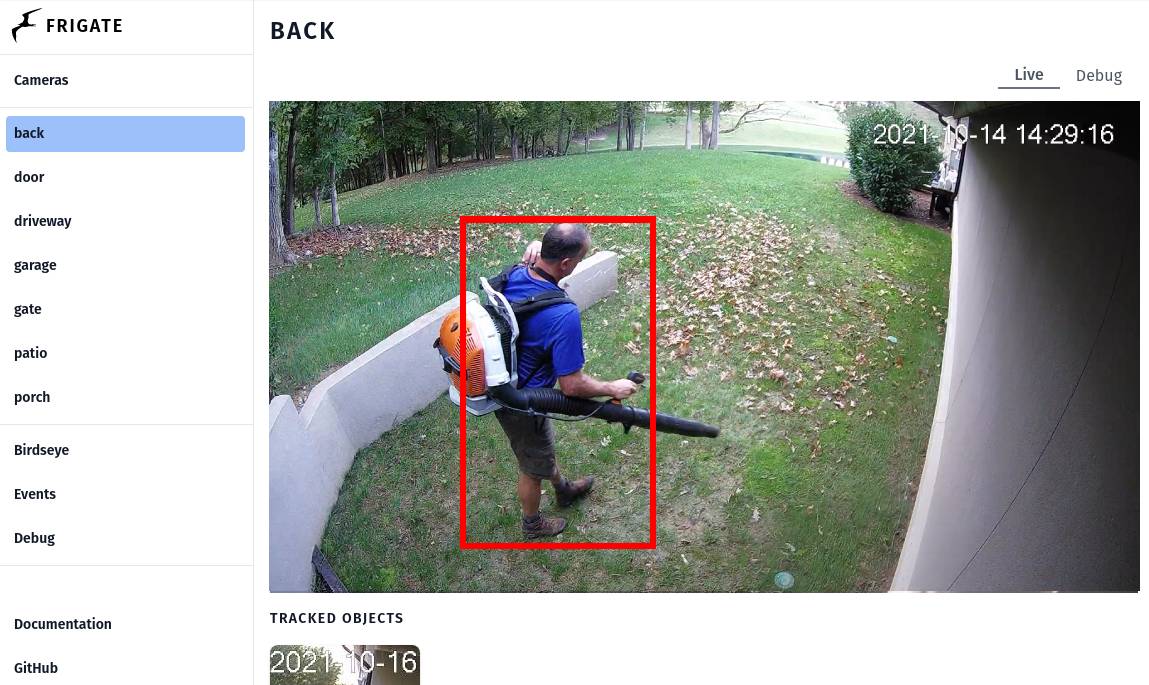
Public image provided by Frigate on its own website.
💾 Backups in 3 steps (Day 2)
As long as the ./data folder (the "volume" mapped into the container) exists on your server, your data survives any restart or container update — that's the only thing you need to back up.
1. Create a compressed backup on the server
tar -czvf backup-$(date +%F).tar.gz ./data2. Download it to your computer
From your computer's terminal (not your server's):
scp root@YOUR_IP:~/app/backup-*.tar.gz ./3. Restore in case of emergency
tar -xzvf backup-file.tar.gz🌐 Connect your domain with free SSL
Step 1 — Set up the DNS
In your domain registrar's dashboard (Cloudflare, Namecheap, GoDaddy...), create a record:
- Type
- A
- Name/Host
- @ (root domain) or a subdomain, e.g. app
- Content/Value
- Your server's public IP
Wait 5 to 15 minutes for the record to propagate across the internet.
Step 2 — Automatic reverse proxy with Caddy
One single file, no Nginx config or manual certificates — Caddy issues and renews Let's Encrypt HTTPS on its own.
Create a file called Caddyfile:
yourdomain.com {
    reverse_proxy localhost:5000
}
Start Caddy with this command (pulls the image and runs it in the background):
docker run -d -p 80:80 -p 443:443 --name caddy --restart always -v $PWD/Caddyfile:/etc/caddy/Caddyfile -v caddy_data:/data caddy